
Visual demo module
This module is used to manually control Aesthetix light sources and cameras. Surface or gloss images from these screens can be saved with or without overlays.
Surface View Mode
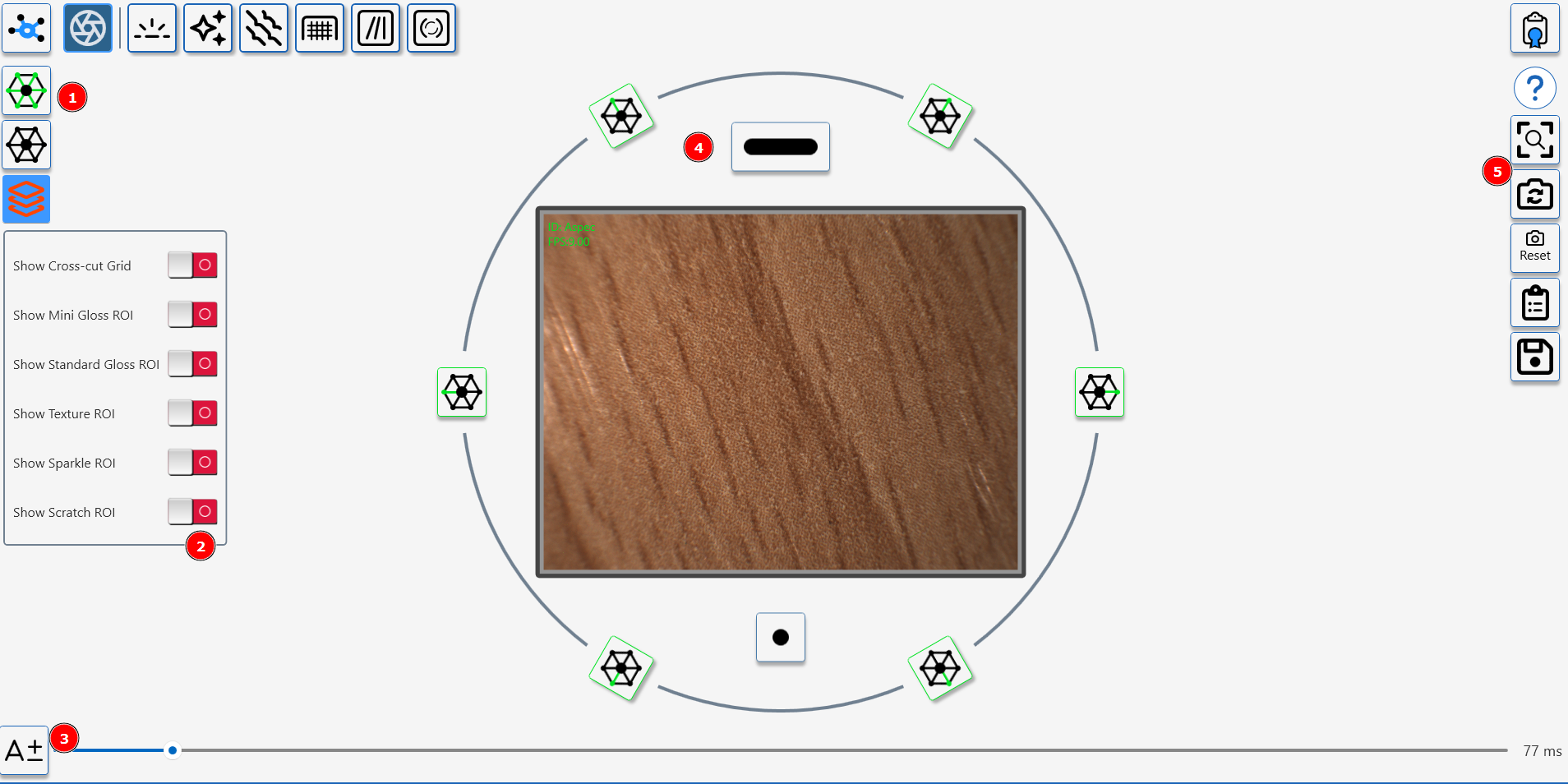
Surface View Controls
- 45 Degree Light- toggle between all on and all off.
- Overlay control- switch on overlays to indicate measurement areas for Aesthetix Modules.
- Camera exposure control, click "A" to activate auto-exposure or use manual slider.
- Individual LED control (Line light, 6 x 45 degree ring lights, 10 degree spotlight )
- Image Controls (Reset view, switch to gloss view, reset camera, copy image to clipboard, save image to file)
Visual demo specular camera
Gloss View Mode
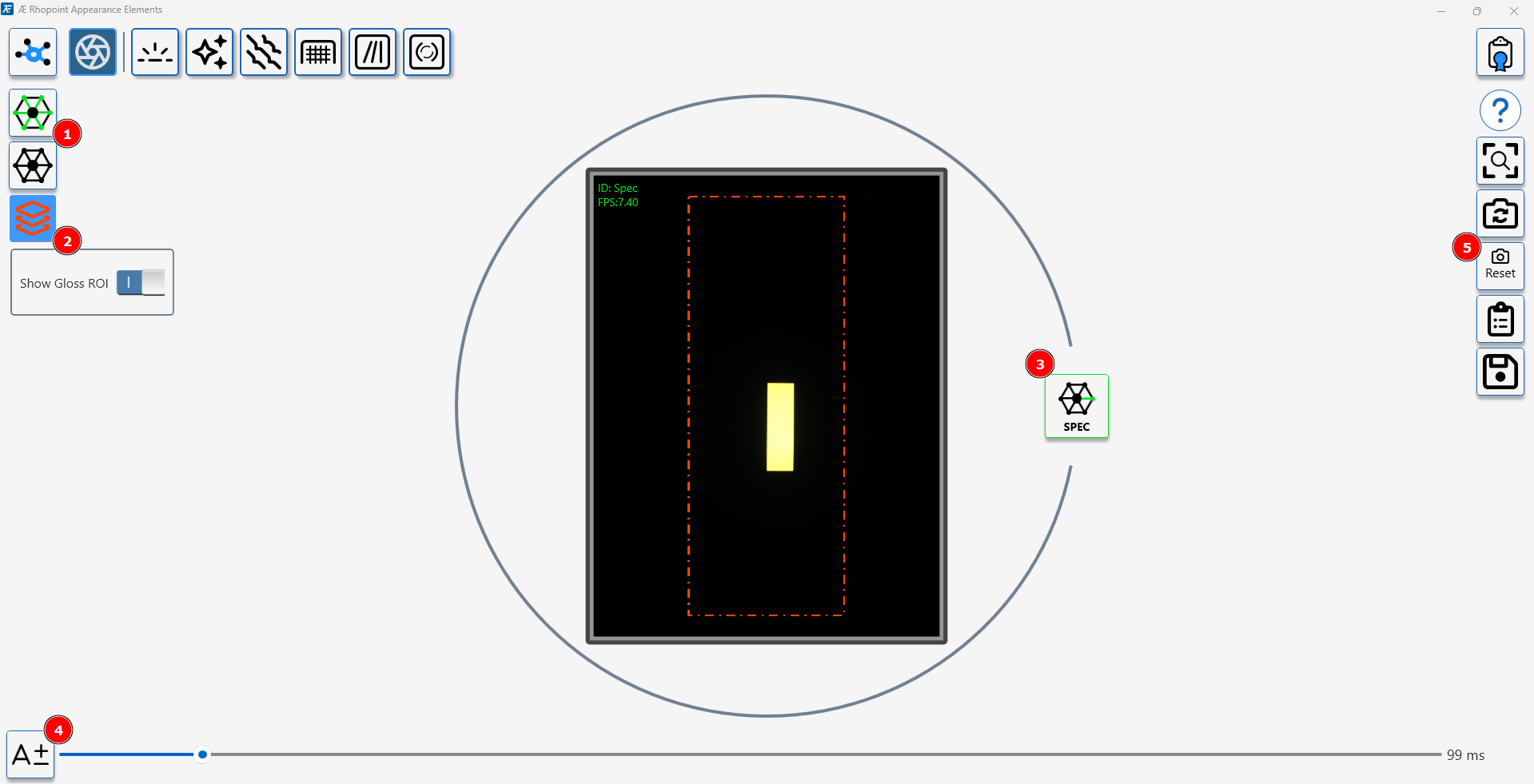
Gloss view controls
- 45 degree light sources toggle on/off.
- Toggle gloss measurment area indicator.
- Toggle gloss light source on/off.
- Camera exposure control, click "A" to activate auto-exposure or use manual slider.
- Image Controls (Reset view, switch to surface view, reset camera, copy image to clipboard, save image to file).