
Powering the TAMS
Powering the TAMS
The Rhopoint TAMS is powered by two removable high‑capacity lithium‑ion cells. When fully charged, the instrument will operate continuously for approximately 5 hours or more than 1,500 readings. The mains charger will fully recharge the instrument in under 5.5 hours when the TAMS is switched off and in charging mode.
To charge the TAMS, connect the charger output plug to the power input socket (1), then connect the charger to a suitable mains supply.
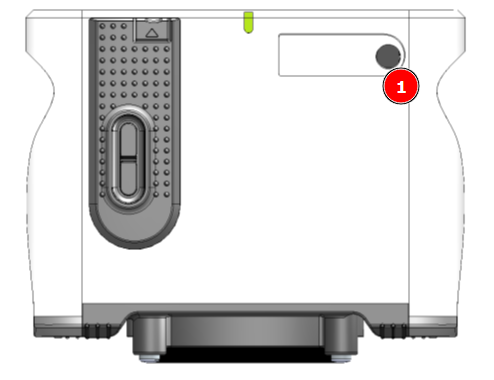
To reduce charging time and conserve power it is recommended to charge the instrument in powered off state.
When plugged into power the main screen indicates charging progress (1)
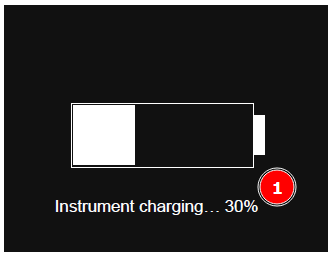
Extra battery sets are available with an external charging station so spare batteries can be charged and swapped in during long or intensive use.
To change batteries, remove the screws (1), slide off each compartment lid (2), withdraw the cells and fit the new ones; the battery bays are keyed so cells can only be inserted in the correct orientation.
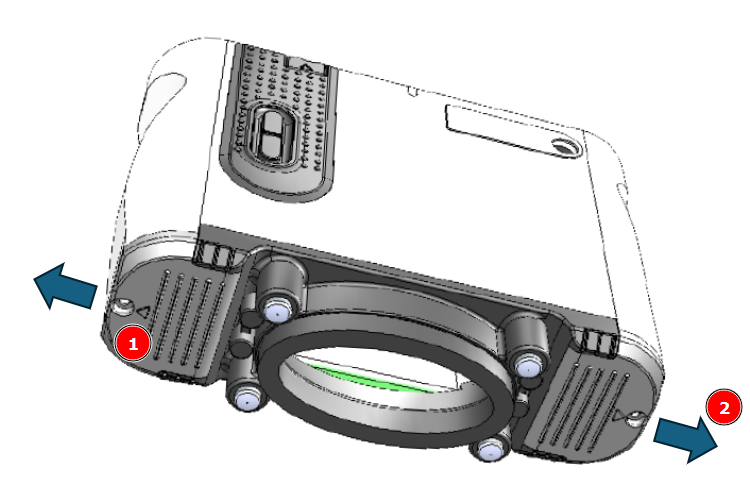
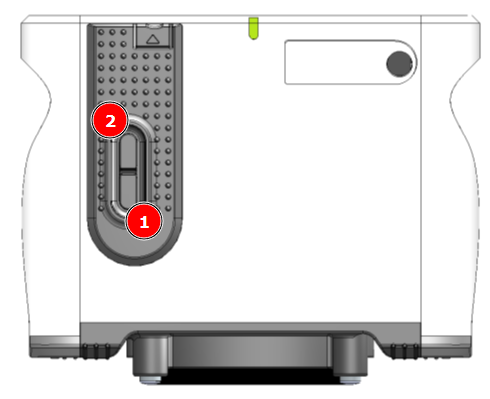
To switch the instrument on, press the lower side button (1), after about 25 seconds TAMS is ready; press any key to proceed to the main screen.
 .
.
Soft Reset
If the instrument ever becomes unresponsive, it can be reset by pressing and holding the top side button (2) for about 15 seconds.
Sleep mode
TAMS includes an automatic sleep function to conserve battery power. After a configurable period of inactivity it prepares to switch off, emitting three quick beeps followed by a 10‑second window in which any key press cancels shutdown. If no key is pressed, three normal beeps are emitted and the instrument powers down.
Battery swap behaviour
When new batteries are fitted, TAMS automatically learns their capacity. After a swap it starts up and goes straight to the main screen; a pop‑up confirms the change and instructs to unplug the PSU and wait about 15 seconds while this update completes.