Rhopoint Instruments Hardware and Software Manual
🖶
Introduction
Instruments and Hardware
Rhopoint Aesthetix
Getting Started
Specifications
Aesthetix removeable adaptors and jigs
Standard Adaptor
Novo Curve small aperture adaptor
Curved surface and small area gloss adaptor (2mm spot)
Four-point rubber contact adaptor - small aperture
Four-point rubber contact adaptor
Three-point rubber contact adaptor - small aperture
Three‑point rubber contact adaptor
Bespoke jigs and fixtures
Non-contact measurement
Packing List
DELETE
Rhopoint TAMS
Software
Appearance Elements (AE)
Install AE
Start AE Software
AE License Manager
AE Software Update
Connect an Instrument to AE
Initiate a measurement(s) in AE
How to use AE without a license
Navigating the measurement screen
Action Bar
Device Manager
Module Bar
License Manager
Data Bar
Data Table
Calibrating an Instrument in AE
Elements Hub (EH)
Connect an Instrument to HE
Install HE
Aesthetix with HE
Glossary of measurement parameters
60° Gloss (Aesthetix)
DOI Distinctness of Image (Aesthetix)
10° Sparkle Measurement
45° Sparkle Measurement
Graininess
Haze and Compensated Haze
Michelson Contrast Haze MCH
Waviness (Aesthetix)
Visual Gloss
RGB Colour
Sharpness (Aesthetix)
Visual Haze
Ca- Cell Amplitude
Cn- Cell Number
Cs—Mean Cell Size
CsMin—Minimum Cell Size
CsMax—Maximum Cell Size
CsDev—Cell Size Standard Deviation
Hs—Hill Size
F—Fill Factor
R—Reflectivity
RC—Reflective Contrast
RV—Reflectivity in Valleys
RH—Reflectivity on Hills
Unit: Perceived Microns [pµm]
Sa Rough – Areal Surface Roughness
Scratch Parameters
Store
Aesthetix with AE
Modules
How to select a module
Visual demo module
Surface Brilliance
Surface Brilliance parameters
How to measure Surface Brilliance
Effect Finish Module
Effects Finish Parameters
Texture Module
Adjusting Texture Module User Parameters
Texture Module Parameters
Polishing Quality Module
Measuring Polish Quality
Adjusting Polishing Quality Parameters
Polishing Quality Parameters
Linear Scratch Module
System Requirements
Measuring Linear Scratches
Linear Scratch Parameters
TAMS with AE
DELETE
Using an Instrument with AE
Navigating the measurement screen
Start writing your section content here.
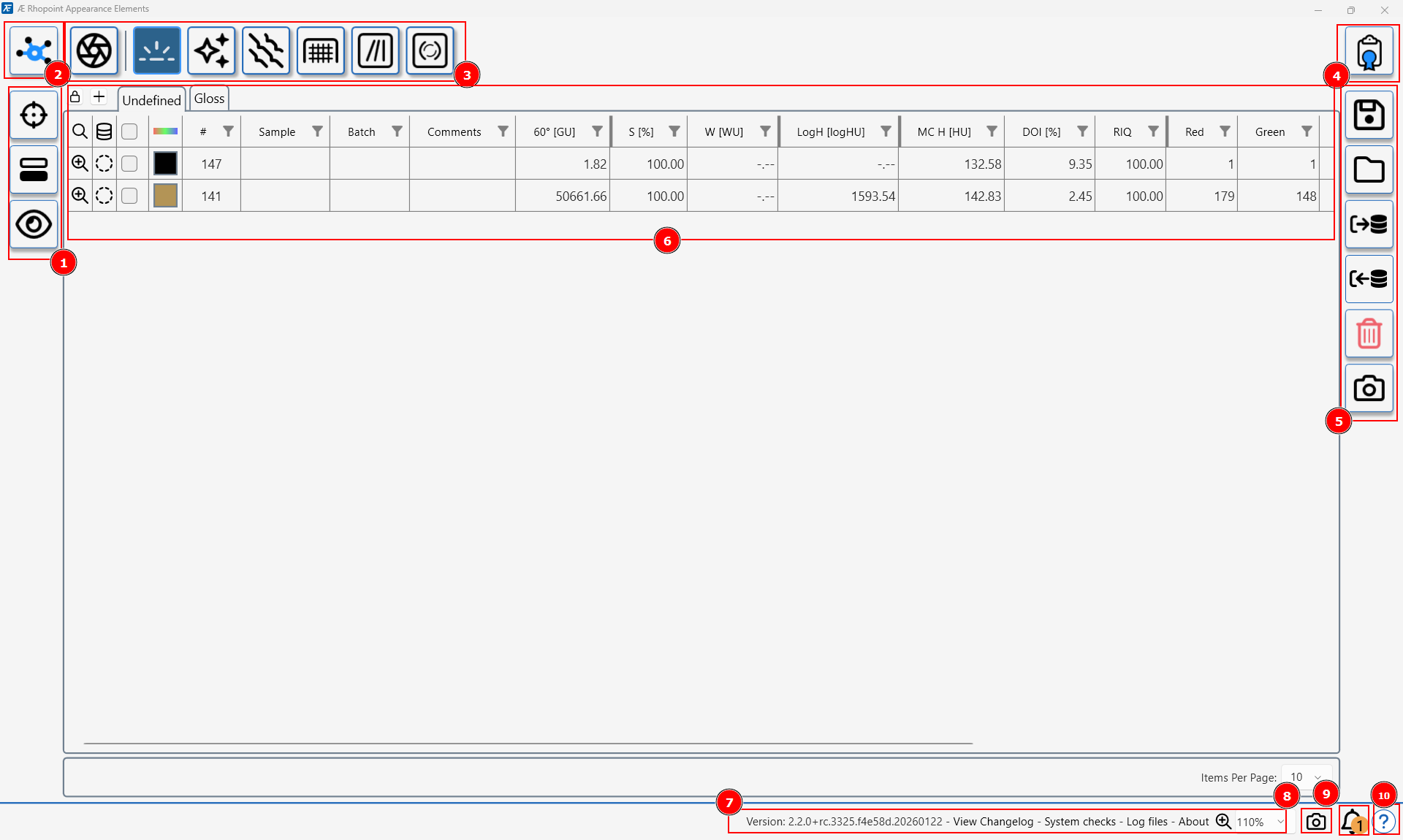 Start writing your section content here.
 Start writing your section content here.