
Rhopoint COM Agent
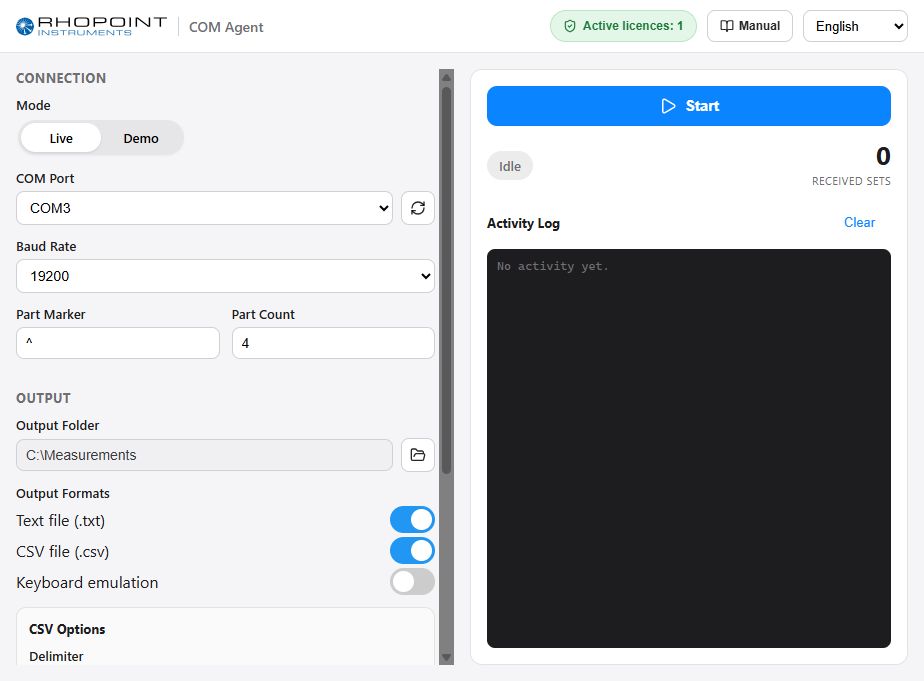
Rhopoint COM Agent is a Windows application that captures measurement data sent over a serial (COM) connection by Rhopoint instruments — such as the FT3 film thickness gauge — and turns it into something useful: structured files on disk, or values typed straight into another program.
Whenever the instrument prints a result, COM Agent reads it, recognises the data format, and writes it out in the format you choose: a raw TXT file, a structured CSV file, or by emulating keystrokes so the values appear directly in whatever field currently has focus (a spreadsheet cell, a QA database, an ERP form, …).
What you can do with COM Agent
- Install COM Agent — download, install and start the application.
- Connecting an Instrument — choose the COM port and baud rate and confirm data is arriving.
- Output Formats — write each measurement to TXT and/or CSV files.
- Keyboard Emulation — type measured values straight into another application, with configurable separators.
- Capturing Measurements — start and stop capture and follow the live activity.
- Demo Mode — try the application without an instrument connected.
- Licensing — unlock live capture by adding a licence; demo mode always works without one.
- Settings and Language — your configuration is remembered, and the interface is available in thirteen languages.
- Command-Line Launch — start pre-configured and capture automatically (for automation).
- Updating COM Agent — keep the application up to date.
Supported instruments
COM Agent reads the serial output of Rhopoint instruments, including:
- FT3 Film Thickness Gauge
COM Agent currently provides full structured (CSV) parsing for the FT3 "print all samples" thickness format. Other instruments are captured as raw text; structured parsing is added as sample data becomes available. Keyboard and TXT output work for every instrument.