
Updating COM Agent
COM Agent keeps itself up to date automatically.
Automatic updates
When COM Agent starts, it checks for a new version in the background. If one is available, a small notification appears in the top-right corner of the window.
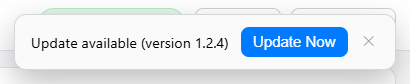
- Click Update Now to download and install the update. COM Agent downloads the new version, shows a progress bar, then restarts itself on the new version.
- Click the ✕ to dismiss the notification and keep working on the current version. You will be reminded again next time you start the application.
Checking your version
The current version is shown in the window title bar (for example Rhopoint COM Agent 1.2.3).