이 페이지는 아직 한국어로 번역되지 않아 영어로 표시됩니다.
Connecting TAMS via WIFI
To set up wifi TAMS uses an AP mode connection to connect to a local network:
MENU>Admin>Device Settings>Factory>Connectivity>Wifisetup
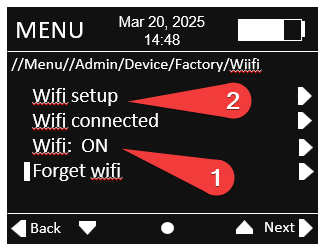
- Switch WIFI to ON
- Click WIFI setup
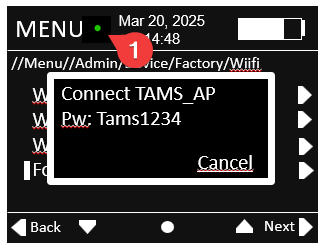
The TAMS will initialise wifi and wait for a connection.
The green dot (1) indicates the wifi is initialised.
On your PC navigate to Wifi and network settings in windows 11.
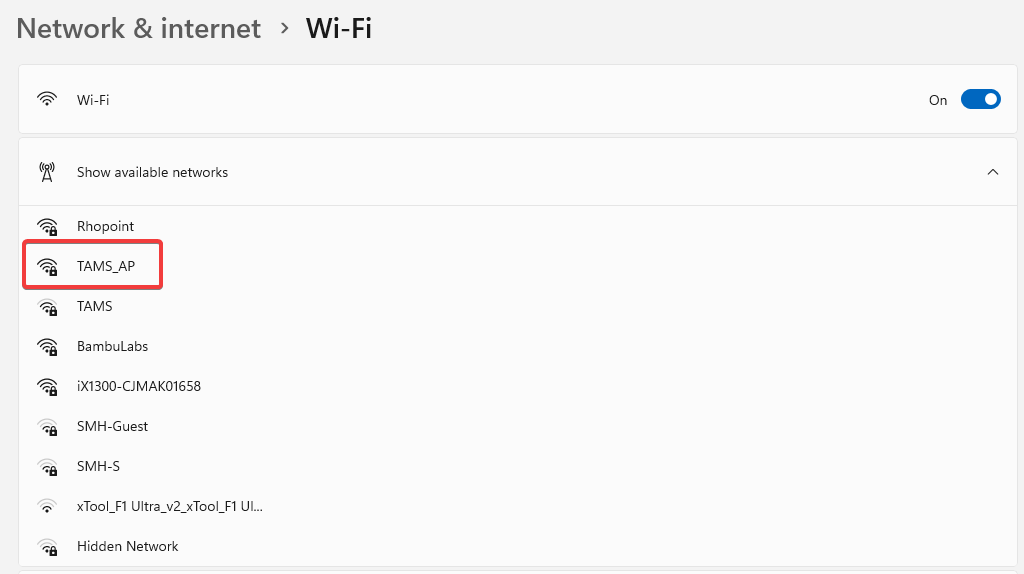
Show available networks then double click on TAMS_AP.
When prompted enter the password Tams1234
in a browser navigate to the following website- 10.42.0.1
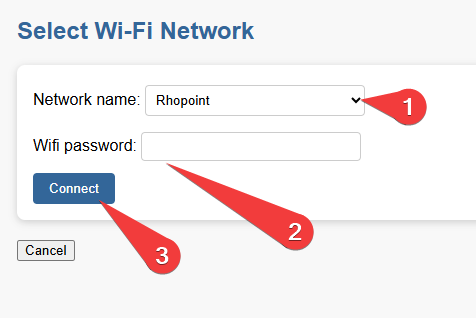
- In the dropdown select the network you wish to connect to
- Enter the wifi password for this network
- Press connect
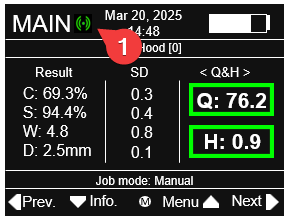
Once connected the number of green circles (1) indicate the strength of the wifi signal 2- good, 1- OK, 0- poor