Deze pagina is nog niet in het Nederlands beschikbaar en wordt in het Engels weergegeven.
Connecting TAMS via WIFI
To set up wifi TAMS uses an AP mode connection to connect to a local network:
MENU>Admin>Device Settings>Factory>Connectivity>Wifisetup
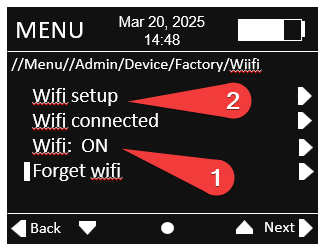
- Switch WIFI to ON
- Click WIFI setup
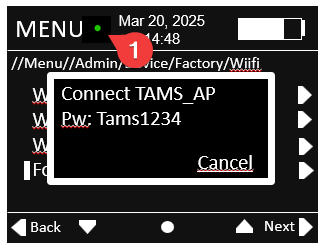
The TAMS will initialise wifi and wait for a connection.
The green dot (1) indicates the wifi is initialised.
On your PC navigate to Wifi and network settings in windows 11.
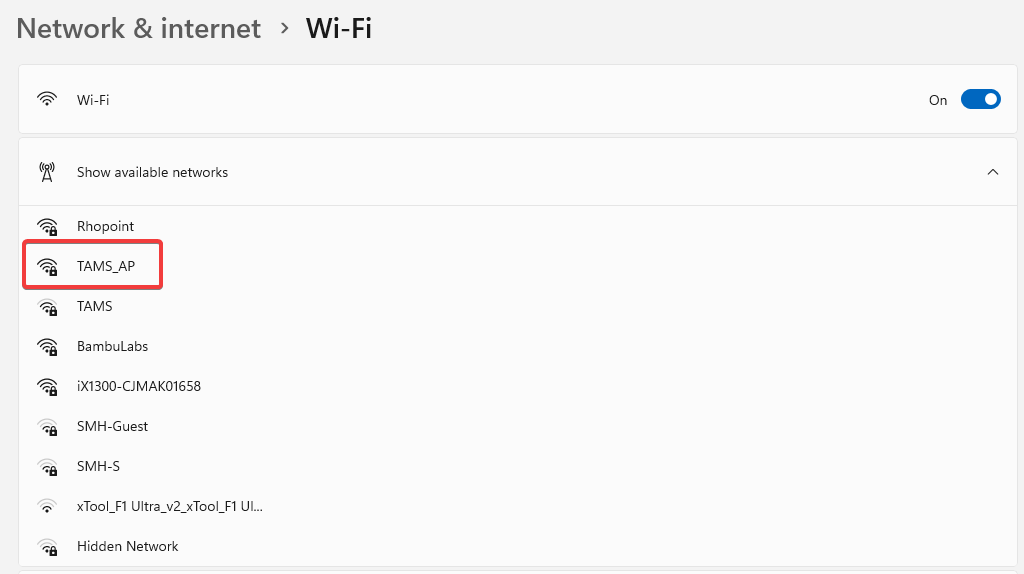
Show available networks then double click on TAMS_AP.
When prompted enter the password Tams1234
in a browser navigate to the following website- 10.42.0.1
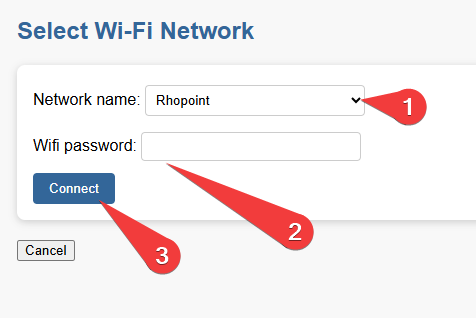
- In the dropdown select the network you wish to connect to
- Enter the wifi password for this network
- Press connect
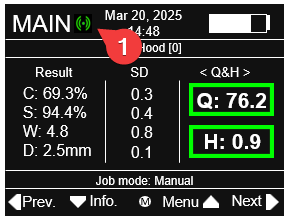
Once connected the number of green circles (1) indicate the strength of the wifi signal 2- good, 1- OK, 0- poor