
このページはまだ翻訳されておらず、英語で表示されています。
Action Bar
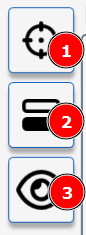
Measure Button
Click here to start a measurement- results will be recorded in the measurement table. Initiate a measurement in AEA "greyed out" measurement button indicates the licence for this module is not present or expired. Install a new licence
Calibration
Press to begin Calibration Calibrating an Instrument in AEInteractive Measurement Button
Pressing this button will start an interactive measurement, this includes live views from the Aesthetix camera to allow for sample alignment and adjustment of measurement parameters.
Interactive measurement is not available for certain modules or instruments- this button will not be present in the Action BarTable View
Press this button to toggle the table view. Data Table