
Esta página aún no está traducida y se muestra en inglés.
Licence Check
The Licence Check tab lets you inspect a Rhopoint licence on this PC — to confirm it is valid, see what it covers and when it expires. All processing happens locally.

Load a licence
There are several ways to load a licence:
- Open Licence — browse to and open a Rhopoint licence file.
- Read clipboard — read a licence that you have copied to the clipboard.
- Scan this PC — search the PC for installed Rhopoint licences automatically.
- Drag and drop — drag a licence file anywhere into the Symmetron window.
Read the result
When a licence is loaded, Symmetron shows whether it is valid and lists its details.
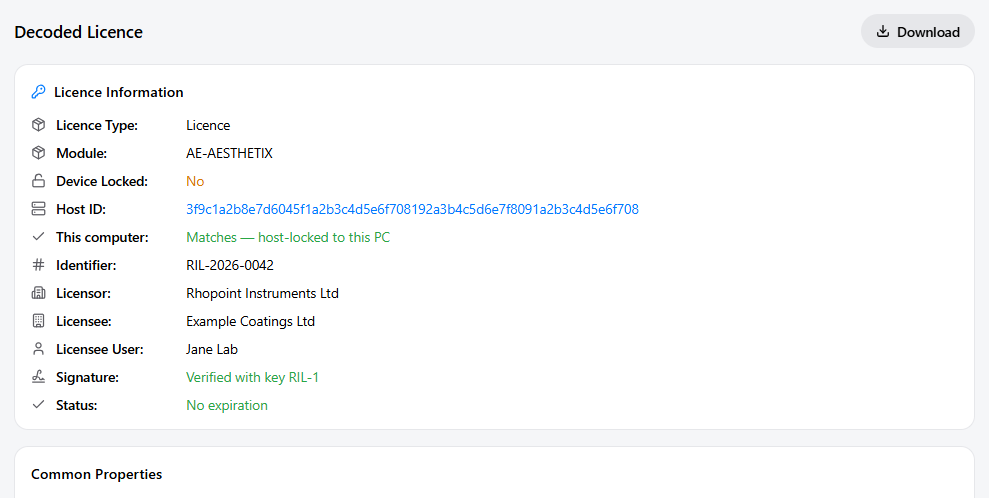
If a single licence is loaded it is shown directly; if several are found you can pick one from the list and use Back to licence list to return.
Host ID
The input card shows This PC's Host ID — the unique hardware identifier of this machine.
When you request a node-locked licence from Rhopoint, you will be asked for this Host ID. You can copy it from here or from the System Info tab.