
Rhopoint Symmetron
Rhopoint Symmetron is a free diagnostic tool that checks whether a PC is ready to run Rhopoint software and instruments. Before you install a Rhopoint product, Symmetron verifies that the host PC meets the technical requirements — operating system, memory, USB 3 ports, camera drivers, network connectivity and more. After installation, it helps you and Rhopoint Support understand and resolve problems by collecting diagnostic information.
Symmetron is quick to install, keeps itself up to date, and never changes anything on your system without your consent. All checks are read-only.
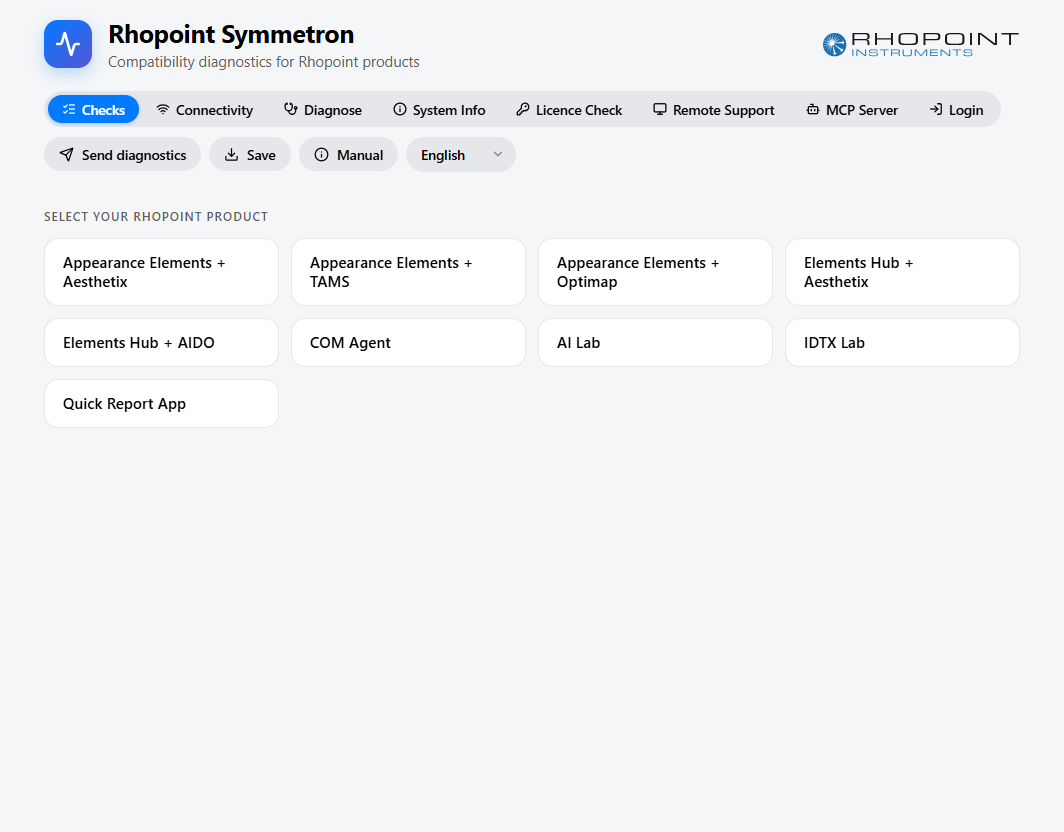
What you can do with Symmetron
- Install Symmetron — download and run the tool.
- Running Compatibility Checks — pick your Rhopoint product and verify your PC meets its requirements.
- Connectivity — confirm your PC can reach the Rhopoint online services and measure your connection speed.
- Diagnose — collect logs, crash reports and Event Log entries from an installed Rhopoint application.
- System Info — view a detailed summary of your PC's hardware and software.
- Licence Check — inspect a Rhopoint licence file locally and read your PC's Host ID.
- Remote Support — join a remote assistance session with a Rhopoint engineer.
- MCP Server — let an AI assistant connect to Symmetron to inspect this PC and help assess compatibility.
- Sending Diagnostics to Rhopoint — send a complete diagnostic bundle to Rhopoint Support in one click.
Supported Rhopoint products
Symmetron can check a PC for any of the following Rhopoint products:
- Appearance Elements + Aesthetix
- Appearance Elements + TAMS
- Appearance Elements + Optimap
- Elements Hub + Aesthetix
- Elements Hub + AIDO
- COM Agent
- AI Lab
- IDTX Lab
- Quick Report App